Ghostties
A native macOS terminal with a multi-agent sidebar, built as an open-source fork of Ghostty. It puts a row of agent sessions next to the terminal you already work in, so you can glance at what's running, click in, and stay in flow.
Running coding agents makes parallel work vivid: ten sessions, ten terminal tabs, ten context switches. The agentic IDEs that promise to fix it bog the laptop down. I didn't want a heavy app on top of work already happening in the terminal. Most of those sessions are waiting on me at any moment. The hard part isn't running them. It's knowing which one needs me now.
Approach
Ghostties is a fork of Ghostty, the fast native terminal by Mitchell Hashimoto. I build the SwiftUI sidebar; the terminal engine stays upstream.
“I have somehow become a designer who lives in the terminal, working with agents every day, so I made an app that can help me work more efficiently.”
The build
A small set of deliberate pieces, each one earning its place.
The interaction model
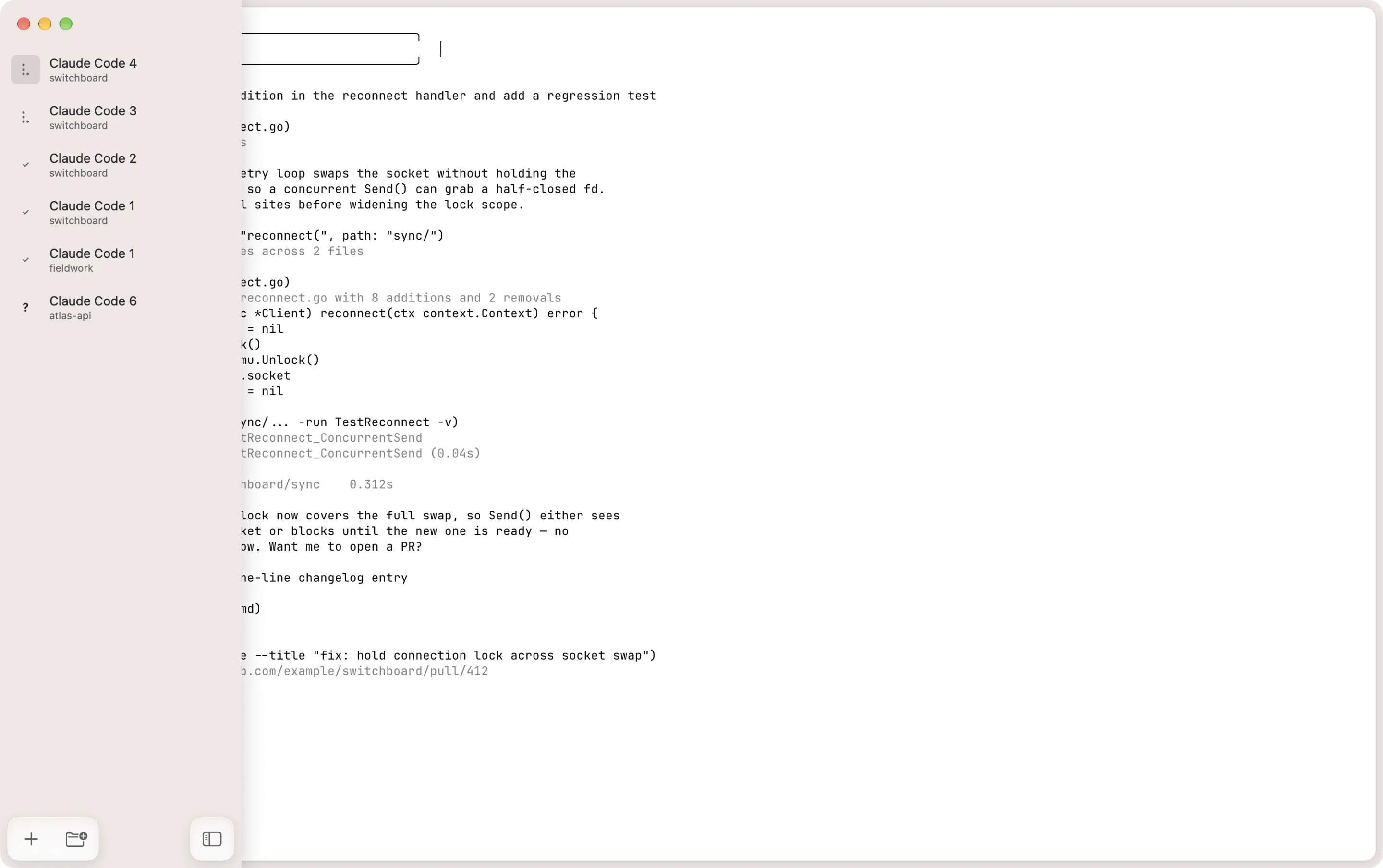
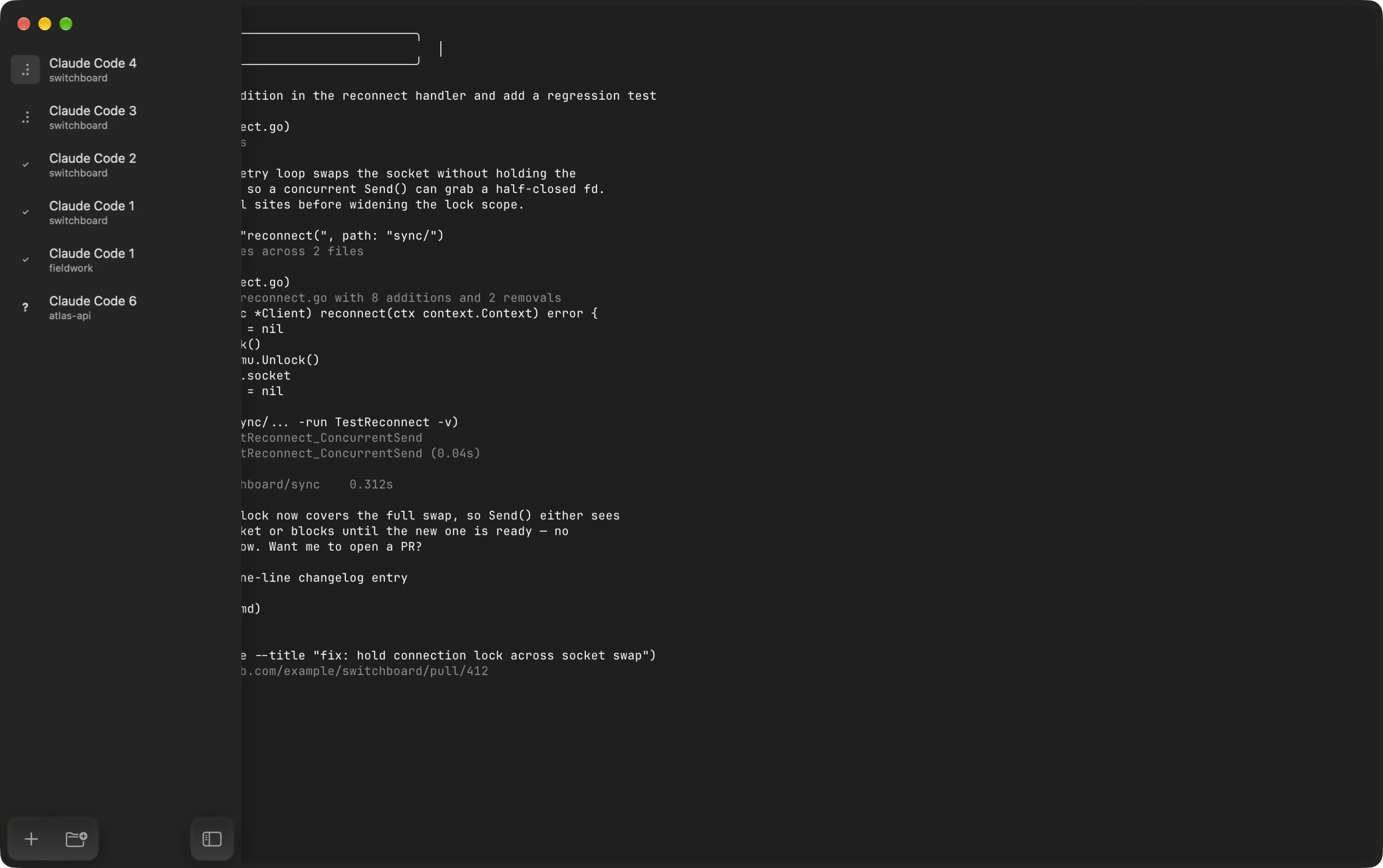
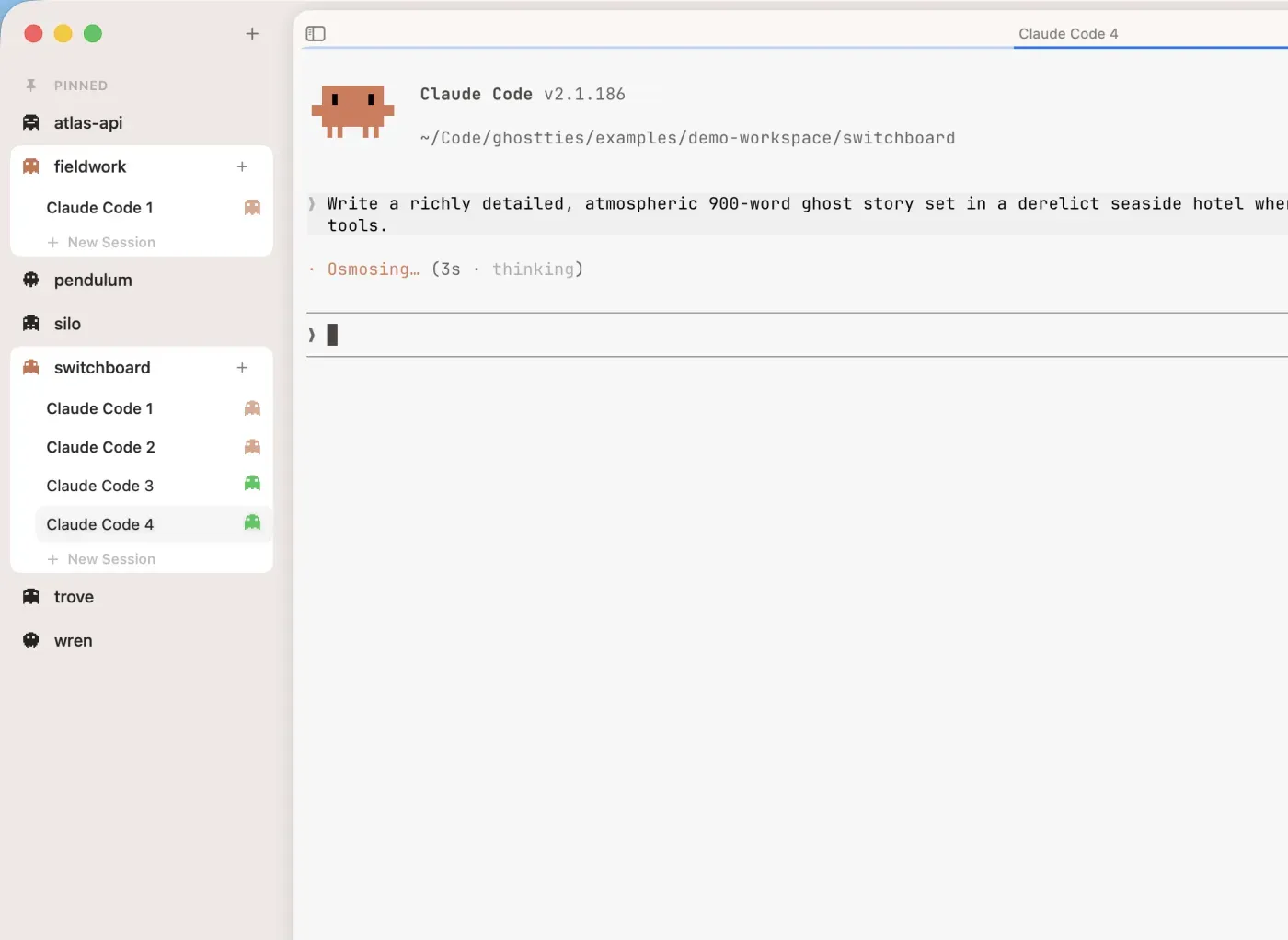
The sidebar has three states. Closed, a thin rail of ghosts. Hover, it opens over the terminal. Pinned open, the full list. You choose how much of the fleet you see, and the terminal stays the main thing on screen. Keyboard first: Cmd+Shift+] and [ cycle through live agents, Cmd+1 to 9 jump straight to one.
The sidebar system
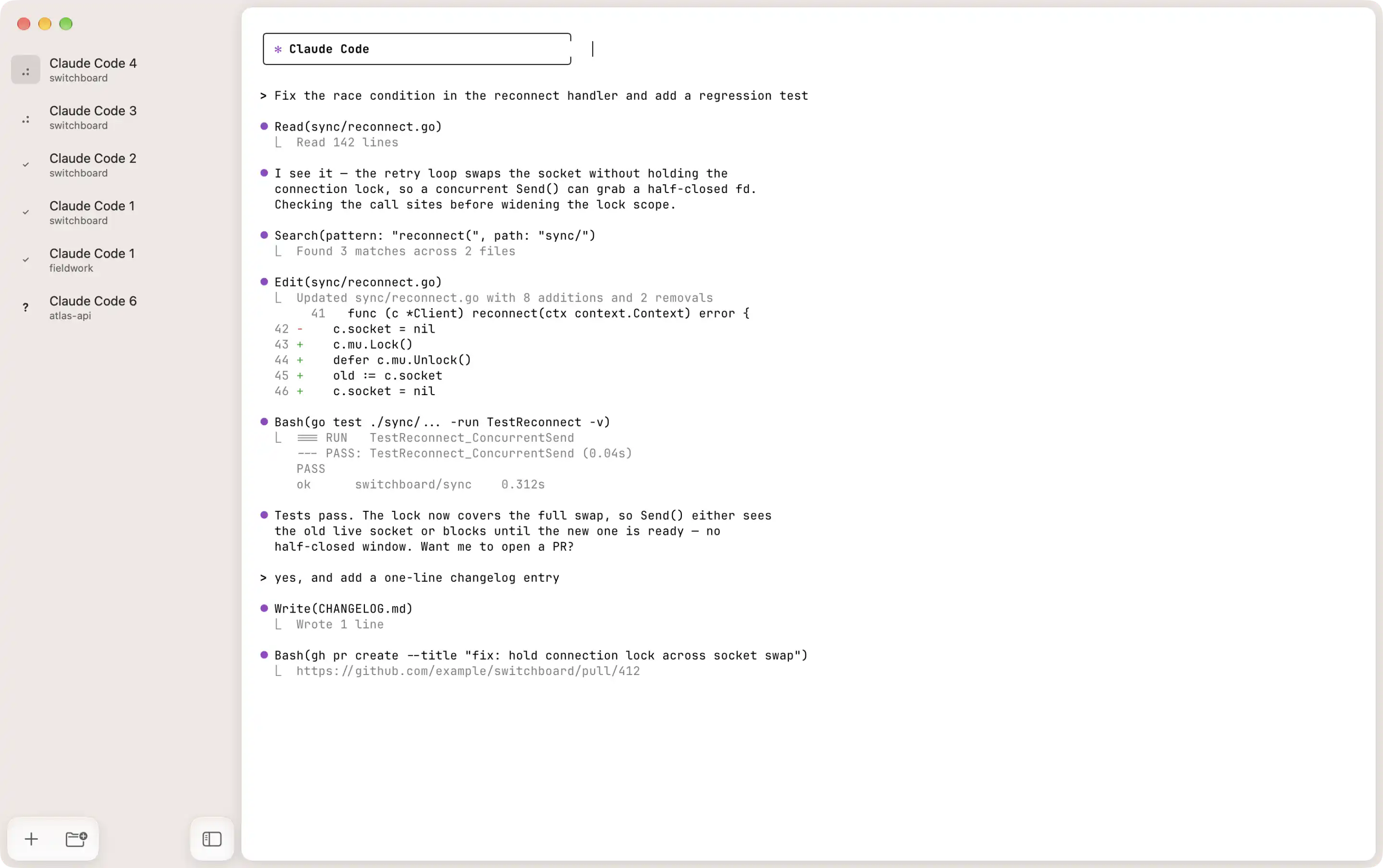
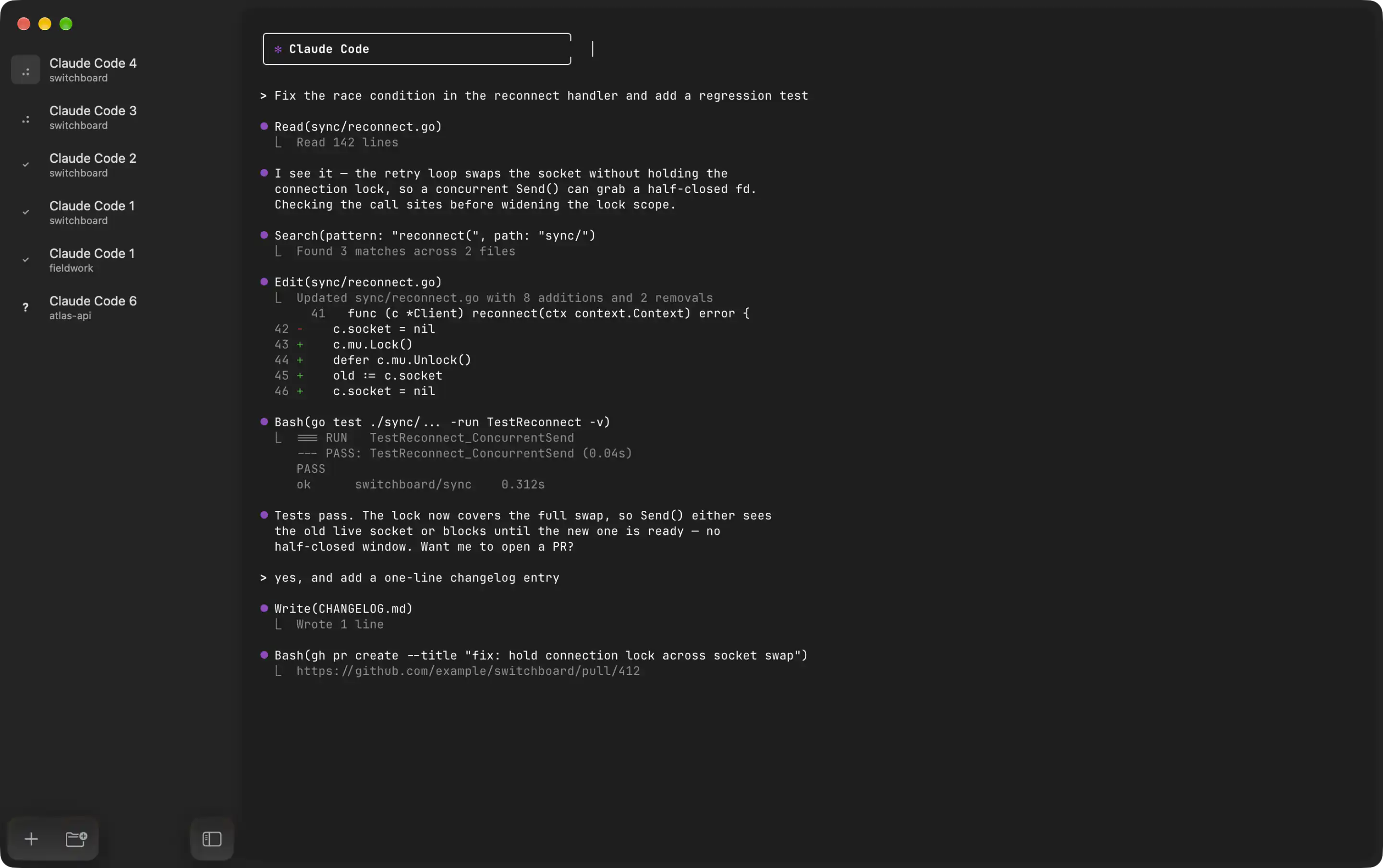
Every running session sits under the project it belongs to, so a glance tells you which repo has agents in flight. Pin the ones you're watching. Nothing is lost when a session closes: the Cmd+T composer brings its history back.
What needs me
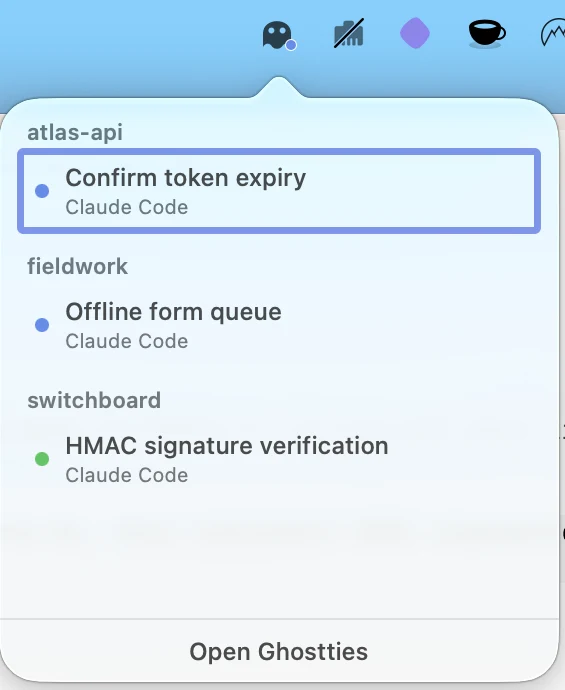
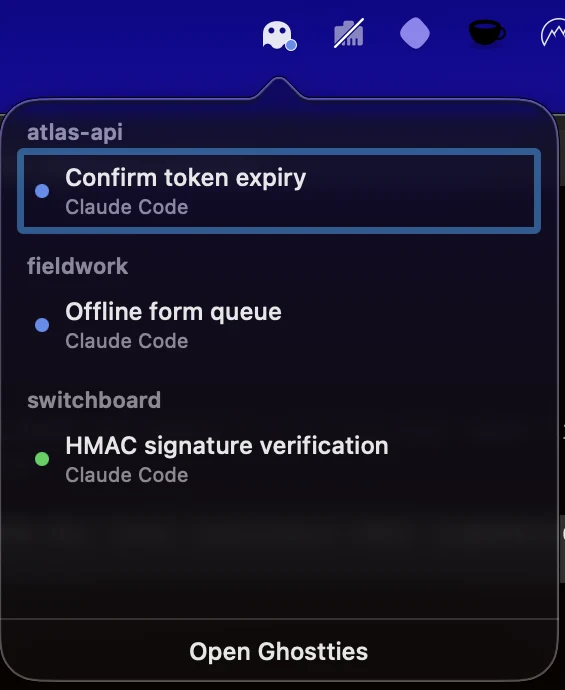
Each session gets a pixel-art ghost, tinted by its status. Terracotta is reserved for the one state that needs your eyes. Status comes straight from Claude Code's hooks. An idle session stopped reading as "needs you." A false alarm costs as much attention as a real one. The same status lives in the menu bar, so you can see what's waiting on you without the terminal even being focused.
Technical decisions
Early on, the sidebar rebuilt itself on every title change and pinned the CPU. I moved it to incremental reloads. A tool for watching agents can't be the thing slowing the laptop down. Beta 26 moved to Zig 0.16 with upstream Ghostty and adopted macOS Liquid Glass and the system light/dark theme. Updates ship over the air with Sparkle.
Done differently
Daily driver first
It ships OTA to the machine I work on every day; it graduates to a real product only if it keeps working for me.
Restraint as a feature
The easy version is a big new app that owns your workflow; the harder, better version gets out of the way.
Designing for agent-assisted development
Many agents at once, most waiting on a human: making "what needs me" legible at a glance is a design problem, not just an engineering one.
Player-coach
I built a tool for orchestrating agents by orchestrating agents to build it.
Status
Open source under MIT, updates over the air, and it's my daily driver terminal. 27 betas so far, eight of them between July and October 2026. 45 stars on GitHub.
December 2025 to present